Category: Everyday Tech & Gadgets

Budget-friendly gear reviews. Multi-tools, flashlights, docking stations, audio gear, and everyday tech tested and compared.

  • Best Budget EDC Gear Under $50: What’s Actually Worth Carrying

    Best Budget EDC Gear Under $50: What’s Actually Worth Carrying

    Best Budget EDC Gear Under $50: What’s Actually Worth Carrying

    I’ve spent years rotating through budget EDC gear — multitools, knives, flashlights, the whole keychain ecosystem. Most of it ends up in a junk drawer within a month. The stuff that survives has one thing in common: it does its job without you thinking about it. No fiddling, no babying, no worrying about losing a $90 tool at a job site.

    This is every piece of budget everyday carry gear I’d actually recommend after real daily use. Everything here is under $50, and most of it is under $25. I’m linking to my full reviews where I go deeper on each category — this page is the overview so you can figure out which type of EDC gear fits how you actually live.

    Quick picks: best budget EDC gear at a glance

    Category Top Pick Price Why it wins
    Multitool Stanley 12-in-1 ~$17 Real pliers, real blade, don’t care if it walks off
    Pocket knife Ontario RAT II ~$28 Built for hard use, AUS-8 steel resharpens fast
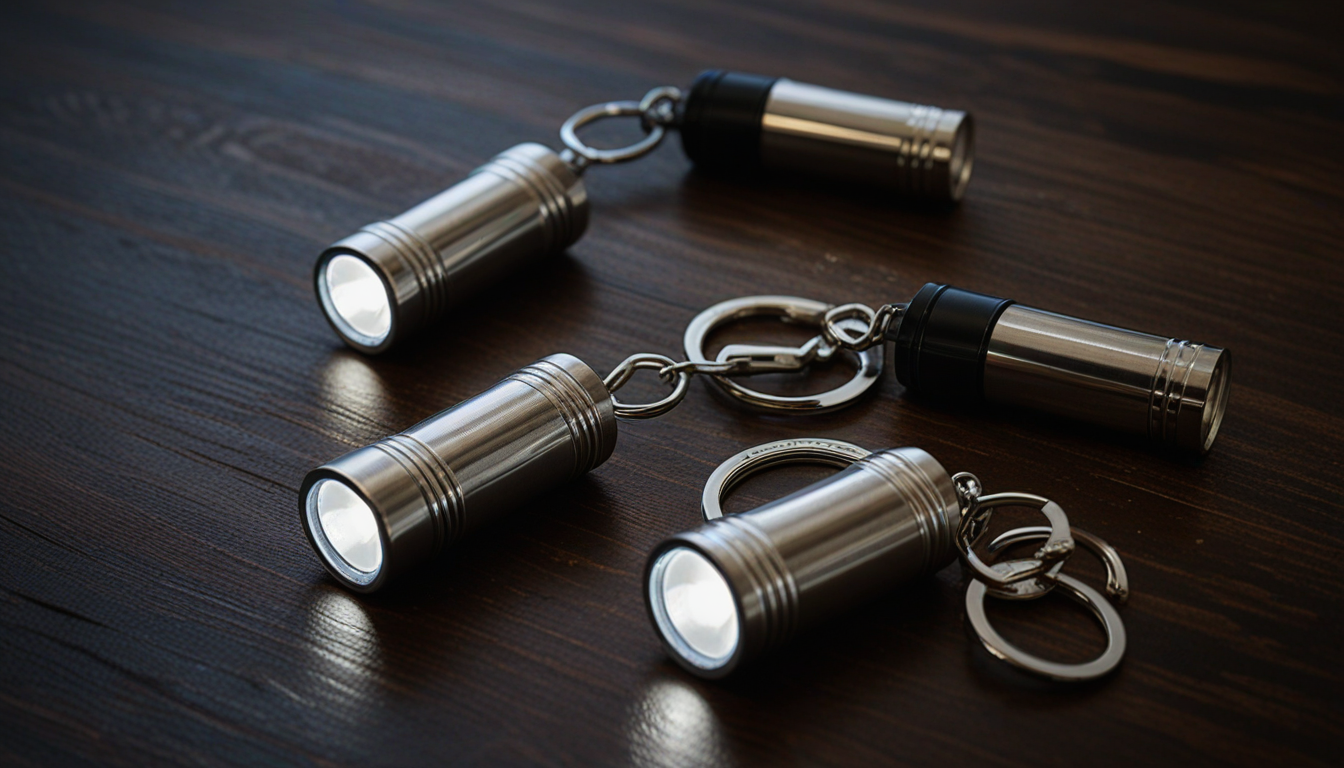
    Keychain flashlight Nitecore TIKI ~$18 300 lumens, USB-C rechargeable, disappears on keychain
    TSA-safe tool Kershaw PT-2 ~$10 No blade, flies every time, real grip
    Swiss Army knife Victorinox Spartan ~$23 Best fit and finish under $25, period

    Best budget multitool under $25

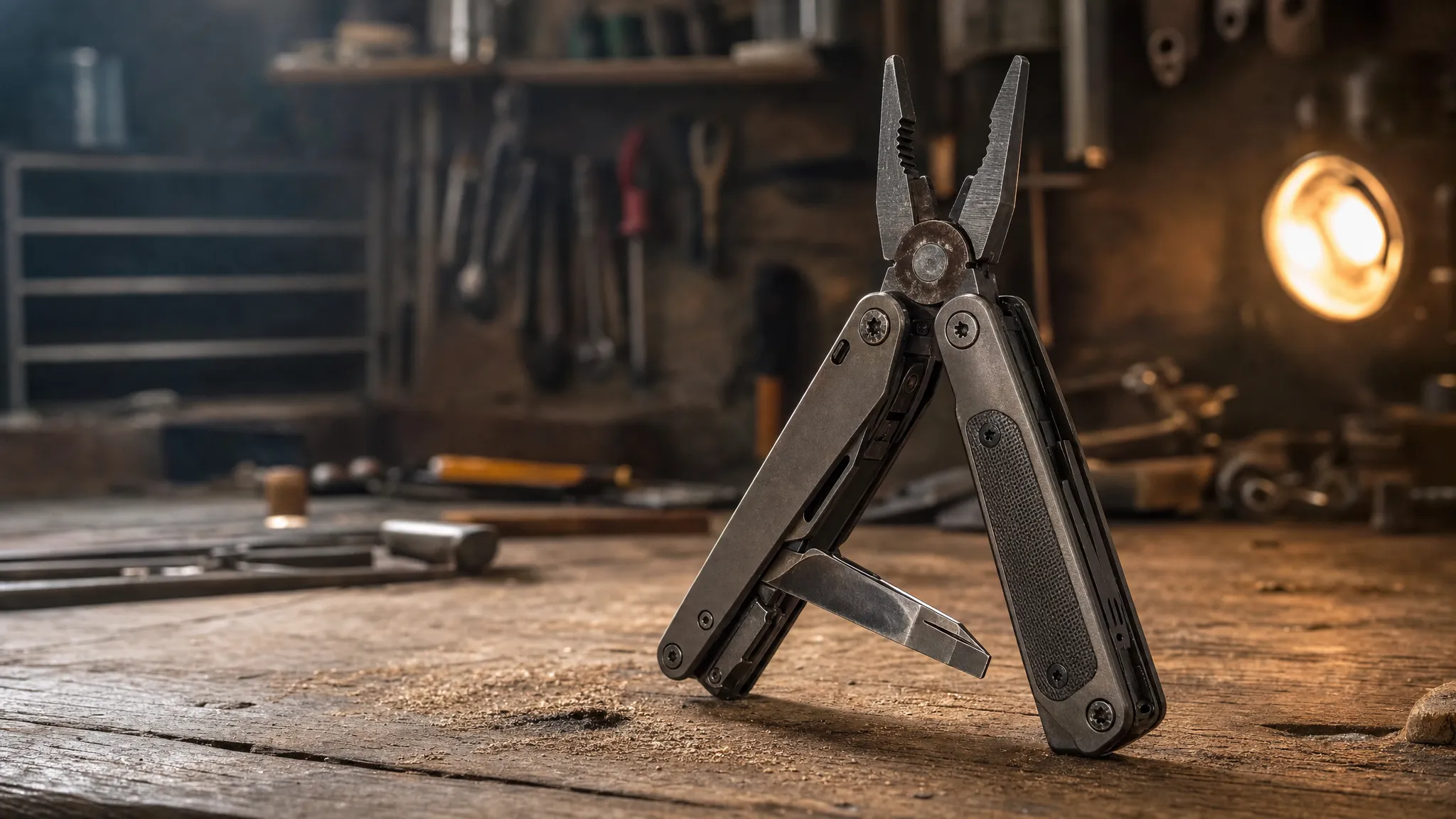
    The multitool category under $25 is a minefield. I’ve bought more cheap multitools than I want to admit — most of them are heavy, floppy, and the pliers couldn’t grip a wet noodle. After rotating through the main contenders, the Stanley 12-in-1 is the one I keep going back to. It’s heavy enough to feel like a real tool, the pliers actually bite, and at $17 I keep one in the truck and one in the kitchen drawer.

    The Victorinox Spartan is the other answer if you don’t need pliers. Better blade steel, better build quality, and it’ll still be working when your kids graduate. The Gerber Dime splits the difference — spring-loaded pliers small enough for a keychain.

    Full breakdown with all 5 picks: Best Budget Multi-Tools Under $25

    Best budget pocket knife under $30

    A dedicated folder beats a multitool blade every time — longer edge, better steel, actual ergonomics. The Ontario RAT II is the default recommendation in every EDC community for a reason: AUS-8 steel takes an edge fast, the liner lock is solid, and it’s built like it costs twice the price. I’ve used mine to break down moving boxes, cut paracord, and open enough Amazon packages to qualify as a warehouse worker.

    The Opinel No.08 is the wildcard — carbon steel, no lock, completely different philosophy. It’s a slicer, not a pry bar. If your EDC knife is mostly about food prep, whittling, or clean cuts, it’s unbeatable at $15. The CRKT Drifter lands in between with spring-assist opening for around $25.

    Full breakdown with all 5 picks: Best Budget Pocket Knife Under $30

    Best budget keychain flashlight under $20

    This is the category where people waste the most money on Amazon garbage. Cheap flashlights either die in a month, lie about lumens, or have a UI designed by someone who’s never used a flashlight in the dark. The Nitecore TIKI is the one that ended my search — 300 lumens, USB-C rechargeable, and a UI that makes sense on the first try. It’s been on my keychain for weeks and I forget it’s there until I need it.

    The Streamlight Key Mate is the alternative if you want zero complexity — single mode, coin cell battery, always works. And the Wuben E7 splits the difference with decent output and a magnetic tail cap.

    Full breakdown with all 5 picks: Best Budget Keychain Flashlight Under $20

    How I tested this gear

    No lab. No affiliate-farm “research.” I bought these with my own money and carried them in rotation — truck, pocket, keychain — for at least two weeks each before writing about them. I’m a project manager by trade, not a gear reviewer, which means my testing is boring and practical: opening packages, tightening screws, cutting zip ties, finding my way to the breaker panel when the power goes out. If something failed at any of those, it didn’t make the list.

    I also check what the communities say. r/EDC, r/BudgetBlades, and r/flashlight are brutally honest about what holds up and what doesn’t. If Reddit hates it, I don’t recommend it.

    What I skip (and why)

    Tactical pens. They write worse than a $2 Pilot G2, the “glass breaker” tip has never broken glass for anyone outside a YouTube video, and TSA flags them constantly. Save the $30.

    “Survival” card tools. Those credit-card-sized multi-tools with a compass, magnifying glass, and saw edge? I’ve owned three. Zero of them performed a single useful function. They exist to be photographed flat-lay style, not used.

    Amazon bundles. Any listing that shows 15 EDC items in a neat case for $35 is selling you $5 worth of zinc alloy in a $3 case. The individual items can’t do anything the real tools on this page handle without effort.

    Budget EDC gear FAQs

    What EDC gear can I fly with?

    Flashlights and bladeless tools like the Kershaw PT-2 are always fine. Knives and multitools with blades go in checked luggage only. I’ve personally flown with the PT-2 and Nitecore TIKI in my carry-on without issues.

    Is budget EDC gear worth it compared to premium?

    For daily convenience tasks — yes. A $25 Victorinox Spartan opens boxes and tightens screws the same as a $100 Leatherman. Premium matters when you’re using pliers daily on a job site or need a blade that holds an edge through 200 cuts without resharpening. Most people don’t.

    What’s the one piece of EDC gear everyone should carry?

    A keychain flashlight. You don’t realize how often you need one until you have one — finding things under car seats, checking breaker labels, walking the dog after dark. The Nitecore TIKI is my pick. Costs less than lunch.


    Related articles on Tooled Out:


    Tooled Out is reader-supported. Some links on this page are affiliate links — if you buy through them, I earn a small commission at no extra cost to you. I only recommend gear I’ve personally tested and would actually carry. Full disclosure on our Contact page.

    About the author: John Corcione has managed IT and telecom projects for 20 years, which means he’s field-tested more gear than he’d like to admit — some great, most forgettable. Tooled Out is where he writes up what’s worth buying. Say hi at dot.cards/gigawerx or linktr.ee/gigawerx.

     

  • Fire TV Stick 4K vs Roku Express 4K: Which Wins in 2026?

    Fire TV Stick 4K vs Roku Express 4K: Which Wins in 2026?

    Fire TV Stick 4K vs Roku Express 4K: Which Streaming Stick Wins in 2026?

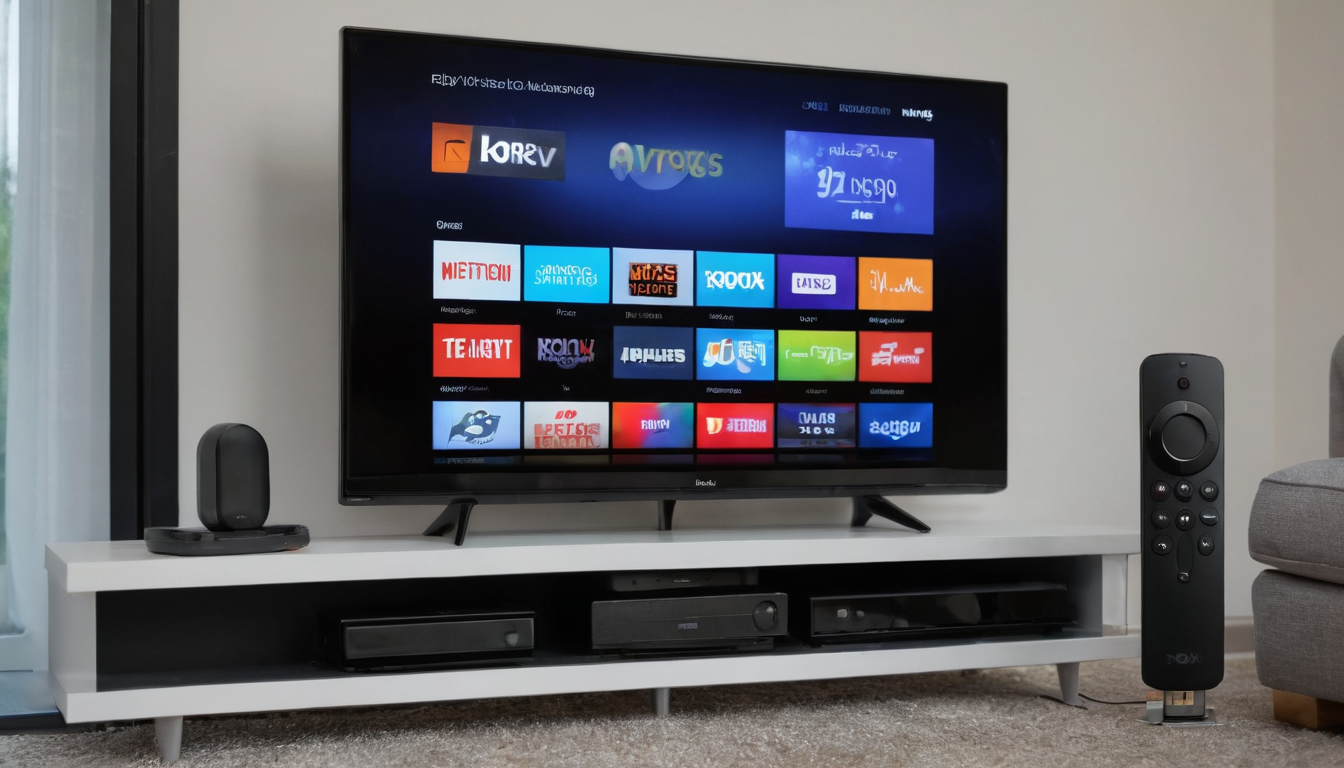
    I own two Fire TV Sticks and a Fire TV Cube. I use them every day. So when people ask me Fire TV Stick 4K vs Roku, I have opinions — but I also have a bias I should be upfront about. I’ve lived in the Amazon ecosystem for years, and I genuinely like it. That said, Roku has real strengths that matter depending on what you care about.

    This isn’t a spec-sheet showdown. It’s what actually matters when you’re picking a $30-50 streaming stick for your living room, bedroom, or wherever you watch stuff.

    Fire TV Stick 4K vs Roku: the quick answer

    If you’re already in the Amazon ecosystem — Prime membership, Alexa speakers, Ring doorbell — get the Fire TV Stick. Everything talks to everything. If you want the cleanest interface with the least ads and the most app options, Roku wins that fight.

    Both stream 4K. Both cost under $50. Both do the job. The difference is in the details.

    What I actually like about the Fire TV Stick 4K

    The Alexa integration is the killer feature for me. I tell it to play something, it plays. I ask it what time it is while a show is running, it answers without interrupting playback. My Fire TV Cube takes this further — full hands-free voice control without touching the remote. I’ve got two Sticks in the bedrooms and the Cube in the living room, and the experience is consistent across all three.

    The Fire TV Stick 4K supports Dolby Vision, HDR10+, and Dolby Atmos. That’s the full HDR and audio format lineup. Roku Express 4K+ handles HDR10 and HDR10+ but skips Dolby Vision entirely. If your TV supports Dolby Vision, that gap matters — it’s a visible difference in contrast and color on content that supports it.

    Wi-Fi 6 on the Stick 4K Plus means less buffering if you’ve got a newer router and multiple devices on the network. The 4K Max goes further with Wi-Fi 6E. My house has a Wi-Fi 6 router with two kids streaming, security cameras running, and my work laptop connected. The Fire Sticks handle it without buffering. Can’t say the same for the old Roku I had years ago, though that was a different generation.

    Where Roku actually beats Fire TV

    Roku’s app library is bigger. Period. They have more free channels and a more open platform for smaller streaming services. If you use niche apps or want maximum free content, Roku has an edge.

    The Roku interface is also cleaner. Fire TV’s home screen pushes Amazon content hard — recommended shows, Prime Video originals, sponsored tiles. You can work around it, but it’s there. Roku’s home screen is basically your app list. Less noise.

    Roku also plays nice with every ecosystem. Works with Alexa, Google Assistant, and Apple AirPlay 2. The Fire TV Stick locks you into Alexa. If your smart home runs on Google Home, that’s a real friction point.

    Fire TV Stick 4K vs Roku: specs side by side

    Spec Fire TV Stick 4K Plus Roku Express 4K+
    Price ~$50 ~$40
    Resolution 4K Ultra HD 4K Ultra HD
    HDR HDR10, HDR10+, Dolby Vision HDR10, HDR10+
    Audio Dolby Atmos No Atmos
    Wi-Fi Wi-Fi 6 Dual-band 802.11ac
    Voice Alexa Alexa, Google, Siri
    Storage 8 GB 8 GB
    Ecosystem Amazon only Universal

    The $10 price difference between Fire TV Stick 4K vs Roku Express 4K+ gets you Dolby Vision, Dolby Atmos, and Wi-Fi 6. For most people that’s worth ten bucks.

    Which Fire TV Stick should you actually buy?

    Amazon has three 4K sticks right now and the naming is confusing. Here’s the short version.

    The Fire TV Stick 4K Select ($22-40) is the budget pick. Basic 4K streaming, no Wi-Fi 6, but gets the job done if you just want Netflix and Prime Video in 4K without spending much.

    The Fire TV Stick 4K Plus (~$50) is the sweet spot. Wi-Fi 6, full Dolby Vision and Atmos, snappy performance. This is the one I’d tell most people to buy.

    The Fire TV Stick 4K Max (~$60) adds Wi-Fi 6E, 16GB storage (double the others), and the ambient screensaver mode. Worth it if you want room for more apps or your router supports 6E. Otherwise save the $10.

    Upgrade your setup: pair it with the Fire TV Soundbar

    Here’s a move that most people don’t think about. Your TV’s built-in speakers are terrible. Every TV. Even expensive ones. Pairing a Fire TV Stick with the Amazon Fire TV Soundbar (~$79-119) gives you a complete streaming setup for under $170.

    The Fire TV Soundbar is a 2.0 channel bar with DTS Virtual:X and Dolby Audio. It’s not going to replace a proper home theater system. But it’s a massive upgrade over built-in TV speakers — dialogue gets clearer, bass actually exists, and movies sound like movies instead of someone talking through a phone speaker.

    The integration is seamless if you’re already using a Fire TV Stick. One remote controls both. Audio settings show up right in the Fire TV menu. No fiddling with separate remotes or HDMI-CEC headaches. That’s the advantage of staying in one ecosystem — stuff just works together.

    If you want Dolby Atmos from the soundbar, you’ll need the Fire TV Soundbar Plus ($150-250), which has a built-in subwoofer and proper 3.1 channel separation. But for most bedrooms and mid-size living rooms, the standard $79-119 bar is plenty.

    The remote situation

    Small thing that matters more than you’d think. The Fire TV Alexa Voice Remote has backlit buttons that light up when you pick it up in a dark room. The Roku Express remote doesn’t. After fumbling with a non-backlit remote at midnight trying not to wake up my wife, I appreciate this more than any spec on paper.

    Both remotes have dedicated app buttons (Netflix, Disney+, etc.) that you can’t customize. Mildly annoying on both sides. The Fire TV remote also has two programmable shortcut buttons, which Roku lacks.

    What about ads?

    Both platforms show ads. Fire TV shows more of them. The home screen is part content launcher, part billboard. Amazon pushes Prime Video originals, sponsored app recommendations, and “featured” content you didn’t ask for.

    Roku shows ads too, but they’re more contained — usually a banner on the right side of the home screen. Less intrusive. If ad-heavy interfaces drive you crazy, Roku wins this round.

    Personally, I got used to Fire TV’s layout. I launch my apps and ignore the rest. But I get why it bothers people.

    Bottom line: Fire TV Stick 4K vs Roku in 2026

    I’m biased and I said so up front. I own three Fire TV devices and I’d buy them again. The Alexa integration, Dolby Vision support, and the way everything connects across my Amazon setup makes daily use effortless. The Fire TV Stick 4K Plus at $50 is the one I recommend.

    But if you don’t care about Alexa, want a cleaner interface, or your smart home runs on Google — the Roku Express 4K+ at $40 is a solid pick. No Dolby Vision is the main trade-off, and whether that matters depends on your TV.

    Either way, you’re spending less than a dinner out for a device you’ll use every single day. Hard to go wrong.

    Pick up the Fire TV Stick 4K Plus on Amazon or the Roku Express 4K+ on Amazon.

    Looking for more budget tech picks? Check out our Galaxy Buds 3 Pro review, the best budget multi-tools under $25, or the best USB-C docking station under $50.

    Disclosure: Tooled Out may earn a commission from purchases made through links on this page. This doesn’t affect our recommendations or the price you pay. We only link products we’d actually suggest to a friend.

  • Galaxy Buds 3 Pro Worth It in 2026? Price, Specs & Verdict

    Galaxy Buds 3 Pro Worth It in 2026? Price, Specs & Verdict

    Galaxy Buds 3 Pro Worth It in 2026? Price, Specs & Verdict

    The Galaxy Buds 4 Pro just dropped at $250. Samsung’s previous flagship earbuds are sitting at $179 on Amazon right now. So is the Galaxy Buds 3 Pro worth it in 2026, or should you just pay up for the newer model?

    I’ve been watching this price drop for weeks. The Buds 3 Pro launched at $250 a year ago, and Samsung’s own successor just pushed them into clearance territory. That makes this a real decision point for anyone shopping wireless earbuds on a budget.

    What you actually get with the Galaxy Buds 3 Pro

    Quick spec rundown. The Buds 3 Pro pack a 2-way speaker setup with a dedicated tweeter and woofer in each bud. You get 6 hours of listening with ANC turned on, 7 hours with it off, and the charging case stretches that to 26-30 hours total. They’re IP57 rated, which means sweat and rain won’t kill them, but don’t take them swimming.

    Bluetooth 5.4 keeps the connection solid. Samsung’s Adaptive ANC adjusts noise cancellation based on your environment, and there’s a transparency mode that lets outside sound through when you need it. 360 Audio works with compatible Samsung phones for spatial sound, though honestly most people won’t notice the difference on Spotify.

    The fit is canal-style with silicone tips in three sizes. They sit flush and don’t stick out of your ears like some competitors. Comfortable for a couple hours straight, though fit is personal — some people love canal-style buds, others can’t stand them. Try before the return window closes.

    Is the Galaxy Buds 3 Pro worth it for the sound?

    Sound quality is where these earn their price. The dual-driver setup delivers clear mids and highs without the muddy bass that cheaper earbuds lean on to sound “premium.” Bass is there, it just doesn’t overpower everything else.

    Dolby Atmos support adds some width to the soundstage on Samsung devices. On a non-Samsung phone, you lose some of the AI sound optimization features, but the core audio quality holds up fine. I’d put them ahead of most earbuds under $200 for music clarity.

    Call quality is decent but not perfect. Multiple reports mention the mic cutting out mid-call or requiring a re-seat in the case to fix. Samsung pushed firmware updates to address it, and most users say the issue settled down after the first few patches. Still worth mentioning if calls are your primary use.

    ANC performance in the real world

    The noise cancellation on the Buds 3 Pro is genuinely good. Not Bose 700 good, but competitive with the AirPods Pro 2 in most environments. Coffee shop chatter, office HVAC hum, airplane cabin noise — it handles all of that without making your ears feel pressurized.

    Ambient mode works well too. You can carry on a conversation at a register or hear traffic without pulling the buds out. The switch between ANC and ambient is smooth, no jarring audio pop.

    Galaxy Buds 3 Pro vs Buds 4 Pro: the $70 question

    Here’s where the Galaxy Buds 3 Pro worth it question gets interesting. The Buds 4 Pro improved the driver setup with a planar tweeter and slightly better ANC. Sound quality is better, but it’s not a different league. More like going from a B+ to an A-.

    If you own a Galaxy S23 or newer, the Buds 4 Pro unlock features like UHQ lossless audio and head-gesture controls. Those are real perks. If you’re on an older Samsung phone or any other Android device, most of those extras don’t apply to you. You’re paying $70 more for incremental improvements you might not even hear.

    At $179 vs $250, the Buds 3 Pro are the smarter buy for most people. The sound is still excellent, the ANC is competitive, and that $70 stays in your pocket.

    What about compared to AirPods Pro 2?

    If you’re on iPhone, stop reading. Get the AirPods Pro 2. The ecosystem integration alone makes it the obvious pick.

    If you’re on Android, the Galaxy Buds 3 Pro win on value. Similar ANC performance, better price, and Samsung’s Galaxy AI features work if you’re in their ecosystem. The AirPods Pro 2 work on Android but lose most of their smart features. At that point you’re paying Apple tax for hardware that functions like basic Bluetooth earbuds.

    Known issues to watch for

    I want to be straight about the problems. Early production batches had quality control issues — uneven plastic gaps, charging pin burn marks, and silicone ear tips that tore too easily when swapped. Samsung paused shipping briefly to fix it.

    Most of the hardware defects traced back to units manufactured before October 2024. If you’re buying now in 2026, you’re getting later production runs where these issues were resolved. Check the serial number date if buying refurbished — avoid pre-October 2024 units.

    The Bluetooth disconnect-during-calls bug was a firmware issue. Updates fixed it for most users, but a few still report occasional drops. If hands-free calling is your main use case, test within the return window.

    Who should buy the Galaxy Buds 3 Pro in 2026

    The Galaxy Buds 3 Pro are worth it if you want solid ANC earbuds under $200 and you’re on Android. Samsung phone owners get the most out of them with Adaptive Sound and seamless device switching. Non-Samsung Android users still get excellent earbuds, just without the AI extras.

    Skip them if you need rock-solid call reliability, if you’re on iPhone, or if you already own the Buds 2 Pro and they’re working fine. The upgrade from Buds 2 Pro to 3 Pro is noticeable but not essential.

    At $179 with the Buds 4 Pro pushing the price down, this is the sweet spot. You’re getting 90% of Samsung’s best earbuds for 70% of the price. That math works for most people.

    Where to buy

    The Galaxy Buds 3 Pro are available on Amazon for around $179. Prices fluctuate, and I’ve seen them dip below $160 during sales. Samsung’s own store still lists them at $249, so Amazon is the move right now.

    If you’re looking at other budget-friendly tech picks, check out our roundup of the best budget multi-tools under $25 or the best keychain flashlight under $20.

    Disclosure: Tooled Out may earn a commission from purchases made through links on this page. This doesn’t affect our recommendations or the price you pay. We only link products we’d actually suggest to a friend.

  • The Best Budget Pocket Knife Under $30 (Tested Against the Junk)

    The Best Budget Pocket Knife Under $30 (Tested Against the Junk)

    Best Budget Pocket Knife Under $30:  Most pocket knives under $30 fall into one of two buckets: a real tool from a company that’s been making blades for decades, or a stamped-steel novelty that won’t hold an edge past the first box you open. The trick isn’t finding a knife under $30 — Amazon will show you ten thousand of them. The trick is finding one that’s actually worth carrying. Here are five that are, and what each one is actually for.

    Best Budget Pocket Knife: The short version

    Knife Street price Best for
    Ontario RAT II ~$25 Budget workhorse, hardest use for the money
    CRKT Drifter ~$20 One-handed opening, pocket clip
    Opinel No.08 ~$18 Food prep, light utility, ultralight carry
    Kershaw Shuffle ~$20 Multi-tool crossover, has a bit driver
    Case Peanut ~$30 Traditional slipjoint, no clip, heritage carry

    Ontario RAT II — the one that gets abused and keeps working

    The RAT II is what happens when a company builds a knife for hard use instead of for looking good on a table. AUS-8 steel isn’t fancy, but it’s easy to resharpen in the field, and the handle scales are grippy enough to use with gloves on. It’s a full-size blade in a budget knife’s price bracket, which is the whole appeal — you’re not paying for branding, you’re paying for steel and a lock that holds.

    The tradeoff: it’s not going to win a beauty contest, and the stock edge sometimes needs a touch-up before first use. Neither matters if this is living in a truck or a tool bag.

    [JOHN: your line — have you carried one of these, or is this the one you’d grab first?]

    CRKT Drifter — assisted opening without the assisted-opening price tag

    The Drifter opens fast with one hand thanks to CRKT’s spring-assist mechanism, and it carries flat with a reversible pocket clip. 8Cr13MoV steel won’t hold an edge as long as premium steel, but it’s easy to sharpen and cheap enough that you’re not sweating a lost knife. For a knife you’ll actually pull out of your pocket ten times a day, that fast one-handed open matters more than steel snobbery.

    Opinel No.08 — the one that’s actually good at cutting things

    Everything else on this list is built to survive abuse. The Opinel is built to cut — apples, rope, cardboard, packaging, whatever’s in front of you — and it does that better than knives twice its price. Carbon steel takes a scary-sharp edge; stainless trades a little of that for zero maintenance. Either way it’s light enough to forget you’re carrying it, which is the point.

    It’s not a pry bar and it’s not going to baton through firewood. That’s not what it’s for. If you want a knife that just cuts well, this is it.

    Kershaw Shuffle — the multi-tool knife

    The Shuffle folds a 2.6-inch blade, a bit driver, a bottle opener, and a flathead into one body, which makes it the closest thing on this list to the multi-tools we covered in the budget multi-tool roundup. If you want one thing in your pocket instead of two, this is the trade: you give up a little refinement on each function to get all of them in one place.

    Case Peanut — the one your grandfather would recognize

    No pocket clip, no assisted opening, no modern steel — and that’s the point. The Peanut is a two-blade slipjoint that’s been in continuous production for close to a century, made in the US, and small enough to disappear in a coin pocket. It’s not the knife you grab for hard use. It’s the one you carry every day for forty years because it never gives you a reason to replace it.

    Best budget pocket knife: what to skip

    Skip anything listing “440 stainless steel” with no country of origin or heat-treat info — that’s marketing language hiding a soft blade that won’t hold an edge past a week of real use. And skip liner locks under $15 with visible play in the blade when open; a lock that flexes is a lock that eventually fails when you need it. Every knife above comes from a company that’s been making blades long enough to stand behind a warranty.

    Best Budget Pocket Knife: FAQ

    What’s the best budget pocket knife for everyday carry?

    The Ontario RAT II if you want one knife that does everything reasonably well. The Opinel No.08 if cutting performance matters more than toughness.

    Are budget pocket knives durable enough for daily use?

    The ones on this list, yes. AUS-8 and 8Cr13MoV aren’t premium steels, but they’re proven, easy to sharpen, and used in knives that see real daily carry. The failure point with cheap knives is almost always the lock or the handle material, not the blade steel.

    Can I fly with a pocket knife?

    No — all five of these have a fixed blade over the TSA limit for carry-on. Check bags only, same as the Kershaw PT-2 we covered in the multi-tool guide.


    This post is part of our Best Budget EDC Gear Under `$50 guide — multitools, flashlights, and more.

    About the author: John Corcione has run IT and telecom projects for 15+ years, which mostly means he’s field-tested more gear than he’d like to admit — some of it great, most of it forgettable. Tooled Out is where he writes up what’s actually worth buying. Say hi or see what else he’s building at dot.cards/gigawerx.

  • The Best Budget USB-C Docking Station Under $50 (Tested Against the Junk)

    The Best Budget USB-C Docking Station Under $50 (Tested Against the Junk)

    Best Budget USB-C Docking Station: Most cheap docking stations fail the same way: they promise “12-in-1” or “16-in-1” and then choke the second you plug in two 4K monitors and a webcam at the same time. Port count on the box means nothing if the chipset behind it can’t push the bandwidth (the USB-IF specs matter more than port count). Here are five that actually hold up under a real remote-work setup, and what each one is actually for.

    Best Budget USB-C Docking Station: The short version

    Dock Street price Best for
    UGREEN Revodok Pro 7-in-1 ~$30 Single-monitor setup, best value
    Anker 555 USB-C Hub (8-in-1) ~$45 Dual USB-A peripherals, travel-friendly
    Baseus 10-in-1 ~$40 Ethernet + card reader combo
    Plugable USB-C Triple Display ~$50 Three monitors on a budget
    Dell WD19S (refurbished) ~$45 OEM reliability, single-cable laptop charging

    UGREEN Revodok Pro 7-in-1 — the one that just works for one screen

    If your setup is a laptop and a single external monitor, the UGREEN Revodok Pro is the easy call. It pushes 4K@60Hz over HDMI, delivers 100W power passthrough so your laptop charges while you work, and moves data at 10Gbps over its USB-A ports — fast enough for an external SSD without bottlenecking. It runs cool, which matters more than it sounds like it should; cheap docks that run hot are usually the ones that drop connections under load.

    [JOHN: your line — is this the one you’ve actually used for a home office setup?]

    Anker 555 USB-C Hub — the one built for people who still use wired peripherals

    Eight ports, including two USB-A slots for a wired mouse and keyboard, which a surprising number of budget docks skimp on in favor of extra USB-C. Anker’s build quality shows in the aluminum housing — it survives being tossed in a bag for travel better than the plastic docks in this price range. The tradeoff: single-display only, so it’s not the pick if you’re running dual monitors.

    Baseus 10-in-1 — the one with a real card reader

    Most budget docks bolt on an SD card slot as an afterthought that reads at a crawl. Baseus’s actually hits real UHS-I speeds, which matters if you’re offloading photos or video on the regular. It adds a gigabit Ethernet port too, which is the one spec worth paying attention to if your home WiFi is unreliable and you need a wired connection for video calls.

    Plugable USB-C Triple Display — the one that actually drives three monitors

    Most sub-$50 docks max out at one or two displays. Plugable’s DisplayLink-based dock pushes three, which is the whole reason to buy it. The catch: DisplayLink runs through software instead of native GPU output, so it adds a small amount of latency — fine for spreadsheets and email, noticeable if you’re doing anything graphics-intensive. Know what you’re trading before you buy it.

    Dell WD19S (refurbished) — the OEM dock that outlives the laptop it came with

    Buying refurbished OEM gear is the move nobody talks about in this category. The WD19S was Dell’s business-line dock, built for daily docking and undocking thousands of times without the port wearing out — a failure point on every cheap dock eventually. Refurbished units run close to budget-dock pricing and come with the reliability of hardware that was designed for a five-year corporate refresh cycle, not a one-year consumer warranty.

    Best budget USB-C docking station: what to skip

    Skip anything advertising “18-in-1” or higher under $40 — that port count usually means several ports are wired to the same internal controller and can’t run at full speed simultaneously. And skip docks with no listed power delivery wattage; if it doesn’t say how many watts it passes through to charge your laptop, assume it’s not enough for anything bigger than an ultrabook.

    Best Budget USB-C Docking Station: FAQ

    What’s the best budget docking station for a dual-monitor remote setup?

    The Plugable USB-C Triple Display if you need three screens, or two of the single-display docks above if you’d rather avoid DisplayLink’s software overhead and don’t mind the extra port.

    Can a budget USB-C docking station charge a laptop?

    The ones with listed power delivery wattage do — check for 65W minimum for most laptops, 100W if you’re running a larger workstation-class machine. Docks with no PD spec listed usually don’t charge, or charge too slowly to matter.

    Is a refurbished OEM dock actually reliable?

    Yes, more often than a new no-name dock. OEM docks like the Dell WD19S were built for corporate fleets that plug and unplug hundreds of times a week — the connectors and internal components are rated for it in a way most consumer docks aren’t.


    About the author: John Corcione has run IT and telecom projects for 15+ years, which means he’s set up more remote-work rigs than he can count — some of it great, most of it forgettable. Tooled Out is where he writes up what’s actually worth buying. Say hi or see what else he’s building at dot.cards/gigawerx.

    If you like this article, The Best Budget USB-C Docking Station under $30, check out  The Best Budget Keychain Flashlight Under $20 (Tested Against the Junk)

  • The Best Budget Keychain Flashlight Under $20 (Tested Against the Junk)

    The Best Budget Keychain Flashlight Under $20 (Tested Against the Junk)

    Most keychain flashlights are a joke — a dim LED behind a plastic lens that dies in a drawer within a month. But a handful of them are genuinely useful: bright enough to actually see by, small enough to forget you’re carrying, and built to survive living on a keyring for years. Here are five worth carrying, and what each one is actually for.

    Budget Keychain Flashlight: The short version

    Light Street price Best for
    Nitecore TIKI ~$19 Rechargeable, brightest in this list
    Wuben G5 ~$20 USB-C rechargeable, budget powerhouse
    Streamlight Key Mate ~$12 Battery-swap simplicity, no charging cable to lose
    Pelican 1810 ~$12 Durability over brightness, drop it and forget it
    Hyper Tough Keychain LED ~$3 The $3 test — see if you’ll use one at all

    Nitecore TIKI — the brightest thing on this list, by a lot

    The TIKI pushes real lumens out of a body barely bigger than a car key fob, and it’s rechargeable over USB-C instead of eating coin cells. The stainless steel bezel takes the abuse of living in a pocket with keys and coins, and the button is easy to find one-handed in the dark, which matters more than it sounds like it should.

    I haven’t carried this exact one, but this is the pick I’d grab first — the brightness-to-size tradeoff is hard to beat at this price. If you want to see similar lights in hand, I keep a running showcase on TikTok Shop under @1jcorcione (Gadgetwerx).

    Wuben G5 — the budget rechargeable that punches above its price

    USB-C rechargeable, aluminum body, and enough output to actually light up a room instead of just a keyhole. The G5 undercuts the Nitecore on price and still holds its own on brightness. The tradeoff is fit and finish — it doesn’t feel quite as refined in hand — but for the price gap, that’s a fair trade for most people.

    Streamlight Key Mate — no cable, no charging, no excuses

    Not every light needs to be rechargeable. The Key Mate runs on a single coin cell, swaps in seconds, and never leaves you stuck because you forgot a cable. It’s dimmer than the rechargeable options here, but it’s also the one you’ll never find dead when you actually need it — no charge cycle to forget.

    Pelican 1810 — built like it’s going to outlive you

    Sixteen lumens doesn’t sound impressive next to the others on this list, and it isn’t — this one’s not about brightness. It’s about a solid aluminum body that shrugs off drops, water, and years of keyring abuse without the lens cracking or the switch failing. If you want the light that’s still working in a decade, this is it.

    Hyper Tough Keychain LED — the $3 experiment

    Buy this one first if you’re not sure you’ll actually use a keychain light. It’s cheap, it’s dim, and it won’t survive years of hard use — but if you find yourself reaching for it every week, that’s your sign to upgrade to something built to last. If it sits unused, you’re out three dollars instead of twenty.

    Best Budget Keychain Flashlight: What to skip

    Two things separate the useful ones from the junk drawer. Skip anything that doesn’t list an actual lumen count (measured per the ANSI/NEMA FL1 standard) — if the packaging just says “super bright” with no number, that’s a light that’s hiding something. And skip unbranded Amazon listings with a wall of identical five-star reviews posted the same week; that’s a pattern of incentivized reviews, not a reliable light. Every light above comes from a company that’s been making them long enough to stand behind a warranty.

    FAQ

    Are rechargeable keychain flashlights worth it over battery ones?

    Depends on your habits. If you’re diligent about charging things, rechargeable wins on brightness and long-term cost. If you’ll forget to charge it and need it to just work, a coin-cell light like the Key Mate is the safer bet.

    What’s the brightest budget keychain flashlight under $20?

    The Nitecore TIKI. It’s the clear brightness leader in this price range and still small enough to disappear on a keyring.

    How long do budget keychain flashlight batteries actually last?

    Coin-cell lights like the Key Mate or Pelican 1810 can sit for a year or more on standby before the battery needs swapping. Rechargeables need a top-up every few weeks of regular use, depending on how often you actually turn it on.

    I don’t have a personal favorite on my own keys yet, but I’m actively testing this category — check my TikTok Shop showcase (@1jcorcione, Gadgetwerx) for similar picks and real hands-on looks as I add them.

    if you enjoyed the article, check out The 5 Best Budget Multi-Tools Under $25 (No Junk, No Hype)

  • The 5 Best Budget Multi-Tools Under $25 (No Junk, No Hype)

    The 5 Best Budget Multi-Tools Under $25 (No Junk, No Hype)

    I’ve been carrying budget multi-tools for over a decade — in my truck, on my keychain, in a toolbox that made the move from Kansas City to Florida. Most of them were garbage. The ones that survived actual daily use all had one thing in common: they did fewer things, but did them without falling apart in your hand. I’ve bought enough $15 Amazon specials to know that “18-in-1” usually means “0 tools that work.” Here are five that actually held up after weeks of real carry — and what each one is best at.

    Best Budget Multi-Tools: The short version

    Tool Street price Best for
    Stanley 12-in-1 ~$17 Glovebox, junk drawer, first multi-tool
    Victorinox Spartan ~$23 Pocket carry, the classic for a reason
    Gerber Dime ~$25 Keychain pliers, smallest real tool
    Kershaw PT-2 ~$10 Keychain, TSA-safe, no blade
    Gerber Shard ~$8 The $8 test — see if you’ll even use one

    Stanley 12-in-1 — the best $17 you’ll spend on tools this year

    The first thing you notice picking up the Stanley 12-in-1 is the weight — it feels like a real tool, not a toy. Stanley isn’t trying to beat Leatherman, and that’s the point. The pliers have enough bite to pull a finish nail, the blade holds an edge through cardboard without complaining, and the Phillips driver actually fits a #2 screw head instead of spinning uselessly. I kept one in my truck’s glovebox for two weeks straight — used it on a loose license plate bolt, a stuck battery terminal, and about fifteen Amazon boxes. At roughly $17, you don’t worry about losing it. That’s the whole pitch.

    Victorinox Spartan — 100 years of not screwing this up

    No pliers, and it doesn’t matter. The Spartan is two blades, two drivers, a can opener, a corkscrew, and fit-and-finish that makes everything else on this list feel like a cereal box prize. The main blade came shaving-sharp out of the box — I sliced through paracord, packaging tape, and an apple on day one without touching a sharpener. Every tool snaps into position with a click you can feel. The scales are smooth enough to sit in a front pocket without snagging, and at around $23, this is the one you’ll still be carrying when your kids are in college.

    Gerber Dime — real pliers on a keychain

    The Dime squeezes ten tools including spring-loaded pliers into something that disappears on a keyring. The honest tradeoff: it’s not built like the bigger Gerbers, and reviewers say so. Fine — it’s a $25 keychain tool, not a work tool. For opening packages, tightening the occasional screw, and pulling splinters, it’s the best small option going.

    I’ve carried a Gerber for years — same one, still going. Mine has permanent residency in my toolbox, and it made the move with me from Kansas City to Florida. Cheap tools don’t survive interstate moves. This one did.

    Kershaw PT-2 — the one you can fly with

    No blade, so TSA doesn’t care — I’ve flown with the PT-2 in my carry-on four times without a second look. The PT-2 is a flat steel wafer with a bottle opener, three screwdriver tips, and a pry end. Most wafer tools are useless because you can’t grip them — Kershaw solved that with glass-filled nylon scales that give your fingers a real purchase point. It lives on my keychain and barely adds any bulk. At around $10, it’s the cheapest insurance policy for a work trip.

    Gerber Shard — the $8 experiment

    Buy the Shard first if you’re not sure you’ll carry a multi-tool at all. It’s one piece of titanium-coated steel — pry bar, drivers, bottle opener, wire stripper. Nothing folds, nothing breaks. If you find yourself reaching for it every week, upgrade. If it sits on your keys unused, you’re out eight bucks instead of eighty.

    What to skip

    Two rules I learned the expensive way. First: skip anything advertising more than 15 functions under $25. I bought a “24-in-1” off Amazon that literally bent the first time I used the pliers on a finishing nail. The tool count goes up, the metal thickness goes down, and you end up with a heavy keychain ornament. Second: skip no-name brands with 4.7 stars and 300 reviews that all read like the same person wrote them — that pattern is bought reviews, not build quality. Every tool on this list comes from a company that’s been making multi-tools long enough to have a warranty department that actually picks up the phone.

    5 Best Budget Multi-Tools FAQs:

    Is a cheap multi-tool worth it over a Leatherman?

    Different jobs. A Leatherman Wave is a work tool; these are convenience tools. If you use pliers daily, spend the $100. If you need “usually in reach when something needs opening or tightening,” $25 covers it.

    What’s the best budget multi-tools with a knife?

    The Spartan. Victorinox blade steel (their proprietary 1.4110 stainless, per Victorinox’s steel guide) outclasses everything else in this price range, and it’s the one you’ll actually keep sharp.

    Can I take any of these through airport security?

    Only the Kershaw PT-2 — no blade. The Shard usually passes but TSA has discretion, so don’t bet a good pry bar on it.

    This post is part of our Best Budget EDC Gear Under `$50 guide, where I cover every category of everyday carry worth buying on a budget.

    That’s my five. Where does yours live — keychain, truck, toolbox? Drop it in the comments. More field-tested picks are coming — here’s what this site is about.


    About the author: John Corcione has run IT and telecom projects for 15+ years, which mostly means he’s field-tested more gear than he’d like to admit — some of it great, most of it forgettable. Tooled Out is where he writes up what’s actually worth buying. Say hi or see what else he’s building at dot.cards/gigawerx.

    About Tooledout.Com

Verificado por MonsterInsights